Birds of a feather. Photos together.
You can't be everywhere.
Your flock can.
Flock turns every guest's camera into one shared album. Scan a code, snap away, and watch the whole event appear, every angle, in real time.
Free for your first 30 photos. On iPhone now, Android soon.
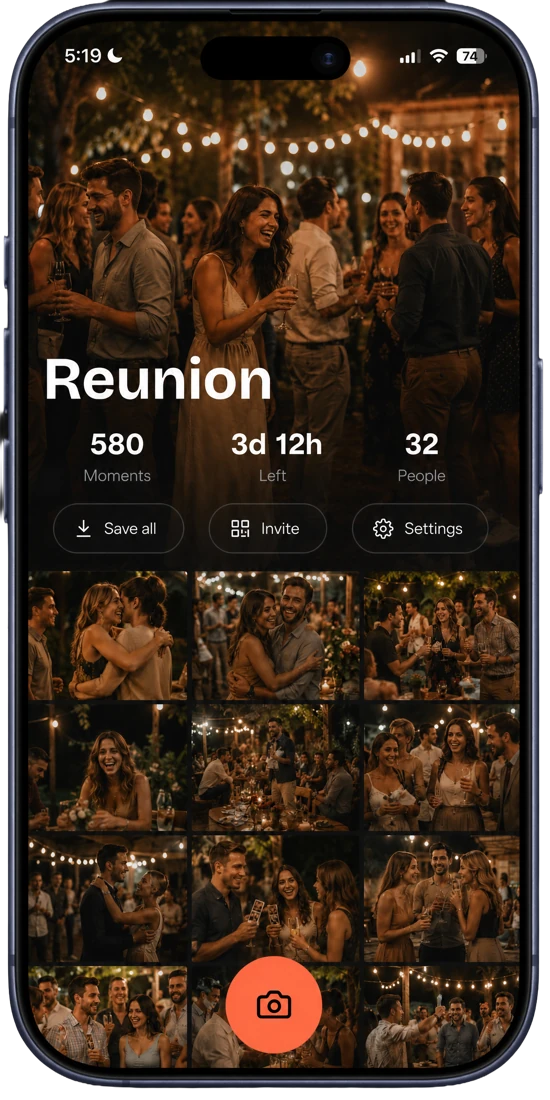
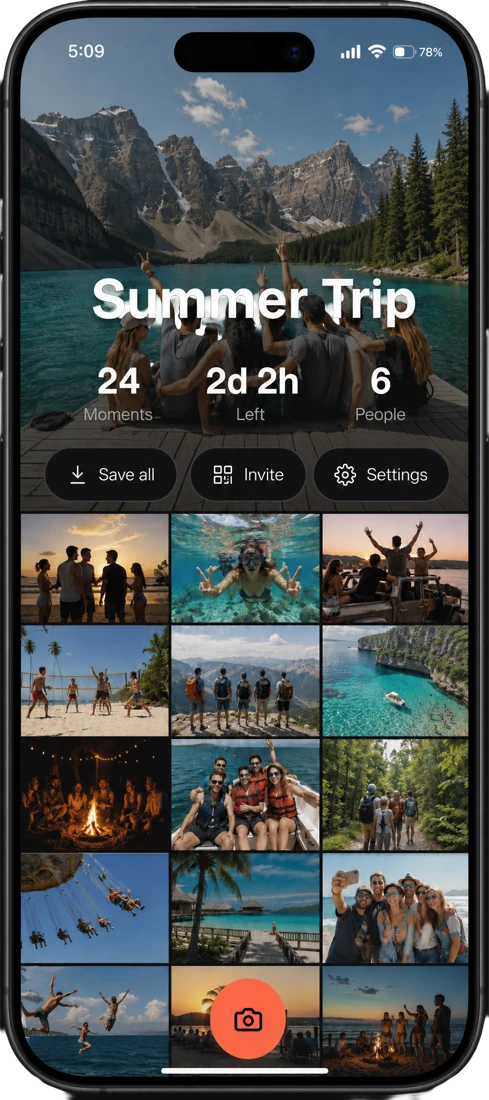
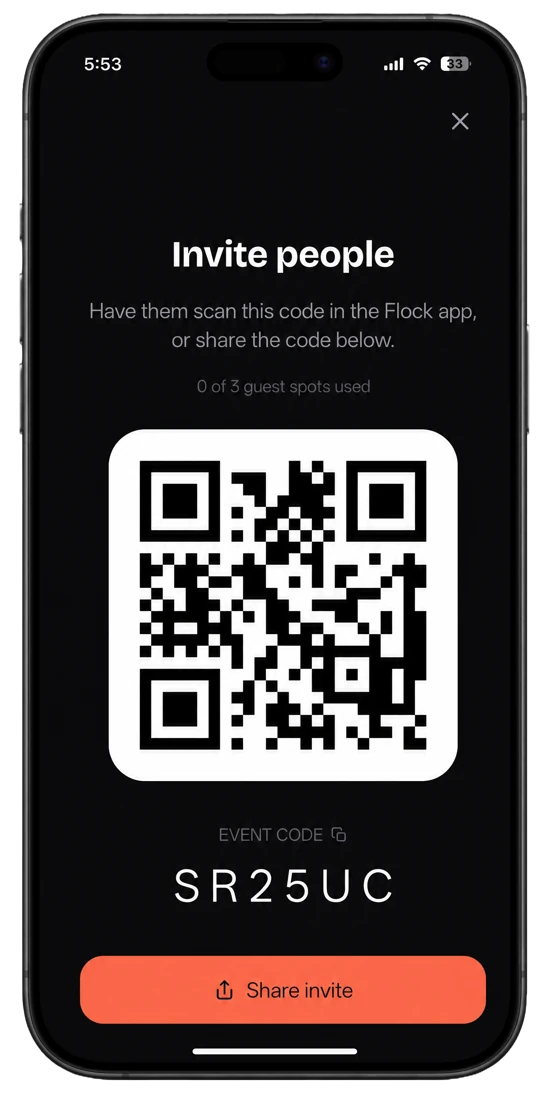
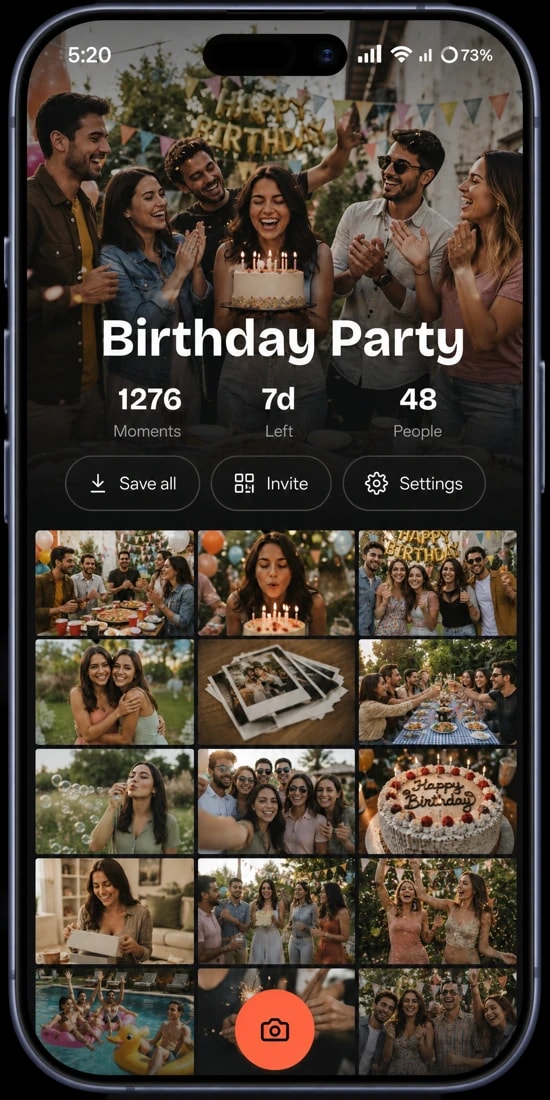
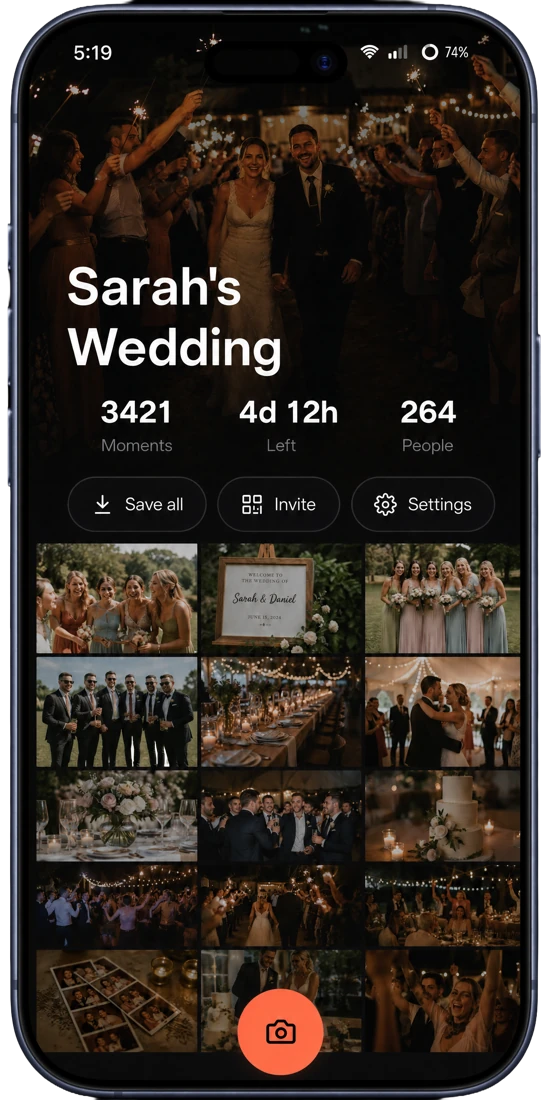
Flock is a collaborative event photo-sharing app that lets everyone at a wedding, party, or trip add their photos to one shared album. Guests download the free app, then join an event by scanning a QR code or entering a join code.
Your camera roll only tells your side of the night. Everyone else caught the angles you missed: the back row, the dance floor, the look on your face.
Flock gathers every guest’s photos into one shared album, automatically, so for the first time, you get to see the whole thing.
Three taps to take flight
No setup marathon. Create an event, share the code, and the photos gather themselves.
- Step 01
Create the event
Name your event: “Sarah & Mike’s Wedding”, “Lake Trip ’26”. Flock spins up a shared album and a join code in seconds.
- Step 02
Share the code
Drop the QR code on a table sign, text the link, or read out the 6-character code. Guests scan it in the Flock app and they’re straight into your album.
- Step 03
Everyone’s photos flock in
Every shot from every phone lands in one live gallery as it happens. You see the whole night, not just your slice of it.
One flock. Every angle.
The features that turn a roomful of phones into one shared memory, built for the moment, not the admin.
One live shared gallery
Every guest’s photos stream into a single album in real time. No group chats to scrape, no “can you send me that one?”.
Join by QR or code
Guests grab the free app, scan the QR code or enter the 6-character code, and they’re straight into your album.
A camera built for the moment
Native-grade capture: flash, zoom, exposure, grid, aspect ratios and a self-timer. Shoot first, no review screen slowing you down.
Photos and video
Catch the toast and the first dance. Stills and clips live side by side in the same gallery.
See who shot what
Every photo is attributed, so you always know whose eye caught the moment, and who to thank for it.
Save it all in a tap
Download the whole album, or just your favourites, to your camera roll in full resolution. The memories are yours to keep.
Made for the moments that gather a crowd
Free to gather. Worth every angle.
Start free on every event. Upgrade a single event when the crowd grows: a one-time payment, upgradable up to 400 invites, never a subscription.
Free
Perfect for small gatherings.
$0
per event, forever
- Up to 30 photos
- Up to 3 invites
- 7-day album
- Join by QR code or link
- Photos & video
- Full-resolution downloads
Event upgrade
For weddings, parties & big crowds.
Choose your invite limit
- Up to 10 invites
- Unlimited photos & video
- Original-quality video, any length
- 14-day album
- Manage & remove any photo
- Everything in Free
Upgrades are billed once per event through the App Store. Prices may vary by region.
The reviews write themselves.
The photos do too.
“We got back over 600 photos from our wedding the same night, angles our photographer physically couldn’t be in. It’s the first thing we tell engaged friends to use.”
Priya & Sam
Married, May 2026
“Put the QR code on every table and forgot about it. By dessert there were hundreds of photos. Zero ‘can you AirDrop me that’ all night.”
Daniel R.
Hosted a 40th birthday
“Eight of us, one road trip. Instead of begging for everyone’s pics for a week, they were all just… there. Total game-changer.”
Maya L.
Group trip organiser
Before you take flight
How do guests add photos to a Flock album?
Guests download the free Flock app, then join the event by scanning its QR code, tapping the share link, or entering the 6-character join code. From there they add photos and video straight from their phone.
Do guests need to download the app or create an account?
Yes. Both hosts and guests use the Flock app and a quick account, then join an event with the QR code or 6-character join code. Setup takes seconds, and everything you add lands in one shared album.
Is Flock free?
Yes. Every event is free for up to 30 photos and 3 guests for 7 days. Paid upgrades start at $2.99 and scale up to 400 invites for larger events, with a one-time payment, not a subscription, unlimited photos, and a 14-day album.
How do I create a QR code for my event photo album?
Create an event in the Flock app and it generates a QR code and a 6-character join code automatically. Print the QR on a table sign or share the link, and guests use it to join your album from the app.
Can I download all the photos from the album?
Yes. You can save the entire album, or just the photos you pick, to your phone’s camera roll in full resolution. The memories are yours to keep after the event ends.
Does Flock work on iPhone and Android?
Flock is available now on iPhone via the App Store. Android is coming soon, so for now everyone joining an event needs an iPhone with the Flock app.
More questions? Read the full FAQ.
The moment's already happening. Gather your flock.
Download Flock free on iPhone, create an album, and share the QR code with your guests. Every angle. One flock.
flock.pics → your pics.